> For the complete documentation index, see [llms.txt](https://docs.klink.cloud/llms.txt). Markdown versions of documentation pages are available by appending `.md` to page URLs; this page is available as [Markdown](https://docs.klink.cloud/product-updates/changelog.md).
# Changelog
{% updates format="full" %}
{% update date="2026-10-22" %}
## See the queue in the conversation header
When a conversation is in a queue, the header now shows the queue first and then the agent it's assigned to, so agents can see where the conversation came from and who owns it. Conversations outside a queue still show only the agent.
{% endupdate %}
{% update date="2026-10-22" %}
## Queue calls in contact activity
The activity timeline in Contact Details now shows calls that came in through a queue, so a queue call no longer looks like a direct call to the agent.
* **One card per agent:** When the queue rang agents, you see a card for each agent it rang, with the queue, the agent, and the result, such as Answered with talk time or No answer.
* **Missed queue calls:** When the caller hung up before any agent was rung, you see one queue card with the queue waiting time.
* **Less noise:** IVR and survey steps stay hidden.
{% endupdate %}
{% update date="2026-10-22" %}
## Manage AI Agents with the Public API
Developers can now manage AI Agents through the Public API.
* **Create and update agents:** List, view, create, update, and delete AI Agents.
* **Edit and publish flows:** Read and edit an agent's draft flow, see its versions, and publish it when it's ready.
* **Available models:** List the AI models you can choose for an agent.
{% endupdate %}
{% update date="2026-10-22" %}
## Fixes for WhatsApp templates and replies
* **Template buttons in the inbox:** WhatsApp template messages now show their buttons in the inbox, just as the customer sees them. This works for templates sent from the Public API, Broadcast, and New WhatsApp message. Messages sent before this update still show without buttons.
* **Replies join the right conversation:** When a customer replies to a message in an open conversation, the reply now joins that conversation instead of opening a new case.
{% endupdate %}
{% update date="2026-10-21" %}
## Add buttons to WhatsApp templates
You can now add buttons when you create a WhatsApp template in Broadcast, without leaving klink.cloud.
* **Three kinds of button:** Use Add button to add a Quick reply, a Visit website link, or a Call phone number button. Each button has a label of up to 25 characters.
* **WhatsApp's limits built in:** A template can have up to 10 buttons, including up to 2 website buttons and 1 call button. Each button is checked before you submit, so a template isn't rejected for a simple mistake.
* **See buttons at a glance:** The template list shows each template's buttons under its message. Quick replies are numbered from 0, which is the number you use when you attach your own data to a button.
{% endupdate %}
{% update date="2026-10-21" %}
## Act on WhatsApp button taps in workflows
When a customer taps a quick-reply button on a WhatsApp template, a workflow can now react to that tap.
* **Your own data on each button:** When you send a template through the Public API, you can attach a value to each quick-reply button, for example `renew:R-12345` on "Yes, I want to renew". The template list in the API now shows each template's buttons, so you can see which number to use.
* **New workflow condition:** Use the WhatsApp button payload condition to check the value of the tapped button, for example "starts with renew:".
* **Send it to your system:** Add `{{button_payload}}` to a Webhook action to pass the tapped button's value to your own system. Other webhook variables are now filled in with real values too.
{% endupdate %}
{% update date="2026-10-21" %}
## Message any WhatsApp number with the Public API
Developers can now send a WhatsApp message to a phone number through the Public API, even if that person isn't a contact yet.
* **Send by phone number:** Include the phone number and the WhatsApp channel to send from. klink.cloud finds the existing conversation or starts a new one, and creates the contact on the first message.
* **Templates for new contacts:** Templates sent this way are checked against the channel you choose, so you can reach people outside WhatsApp's 24-hour reply window.
* **Contacts without a conversation:** Sending to a contact that has a phone number but no conversation yet now works when you include the channel to send from.
* **Always get the contact back:** The response includes the contact's ID, so you can use it for later messages.
{% endupdate %}
{% update date="2026-10-21" %}
## Pick a contact in New WhatsApp message
The To field in New WhatsApp message now searches your contacts, so you don't need to retype an imported contact's number.
* **Search by name or number:** Type a name or part of a phone number and pick from up to 10 matches, using the mouse or the arrow keys and Enter.
* **Know how they'll be reached:** The contact card shows whether the message continues an existing conversation on that WhatsApp number or which phone number will be used. If the contact can't be reached, for example because their phone has no country code, the card says why and Send stays off.
* **Typed numbers still work:** You can still type a phone number directly, as before.
* **Good to know:** Number search matches from the start of the saved number, so include the country code when you search by phone.
{% endupdate %}
{% update date="2026-10-21" %}
## New Attachment condition in workflows
Workflows can now check whether a customer sent a file, such as an image, video, voice note, document, or email attachment, on any channel.
* **Two scopes:** Check just the customer's message, or the whole conversation.
* **Has or has no attachment:** For example, keep auto-close on but skip conversations where the customer sent an attachment, by adding Whole conversation, Has no attachment.
* **Good to know:** Files sent by agents, stickers, and images in email signatures don't count as attachments.
{% endupdate %}
{% update date="2026-10-21" %}
## Hide dropdown options and track case log changes
Admins have more control over custom fields, and case log changes are now easier to follow.
* **Hide an option without deleting it:** In the field settings, you can hide a dropdown option so agents no longer see it when they pick a value. Records that already use it keep their value, and at least one option always stays visible.
* **Log changes to transcript:** Turn this on for a case log field to add a line to the conversation timeline every time its value changes, including changes made by workflows.
* **Changes in exports and the API:** These changes, with their date, are included in the saved conversation transcript, the CX Log export, and the Public API.
{% endupdate %}
{% update date="2026-10-21" %}
## Easier people search in mentions and agent lists
* **Better mentions:** When you mention someone in a comment or internal note, a search box helps you find the right person, and more people load as you scroll.
* **Every agent in the list:** Agent pickers and filters, for example in the inbox, tickets, CDR, CX Log, callbacks, call campaigns, and queue settings, now load agents as you scroll and search across your whole team.
{% endupdate %}
{% update date="2026-10-21" %}
## Fixes for business hours, WhatsApp broadcasts, and channel status
* **Business hours start on time:** A conversation that starts at the exact opening time, for example 08:00:00, now counts as inside business hours, so it gets its SLA and matches business-hour workflow conditions.
* **Templates with no variables:** WhatsApp broadcasts that use a template without any variables now send correctly instead of failing for every recipient.
* **Clearer WhatsApp QR channel status:** A number that is waiting for its first QR scan now shows as Waiting For Approval instead of asking you to log in again, and a disconnected channel shows as Disconnected.
{% endupdate %}
{% update date="2026-10-20" %}
## Edit WhatsApp templates and confirm before deleting
You can now update a WhatsApp template's message in Broadcast without creating a new template.
* **Edit the message text:** Use the pencil icon next to an approved, rejected, or paused template to change its body. The name, category, and language stay the same.
* **Back to review after an edit:** WhatsApp reviews the template again after you save, so it shows as Pending until it is approved. An approved template can be edited once every 24 hours, and templates still in review can't be edited.
* **No more accidental deletes:** Deleting a template now asks you to confirm first. A deleted template is removed from WhatsApp and can't be restored, campaigns that use it stop sending, and its name can't be reused for a while.
{% endupdate %}
{% update date="2026-10-20" %}
## WhatsApp template campaigns send the right message
Broadcast campaigns that use WhatsApp templates now reach customers exactly as you set them up.
* **Real templates, not labels:** Customers receive the approved template itself, instead of a line of text such as "Template: welcomemessage".
* **Every variable filled before launch:** The campaign builder shows a field for each variable in the template, including named variables, and Launch stays off until all of them have a value.
* **Email and phone fill in correctly:** Variables mapped to a contact's email or phone now use the contact's primary email and phone number. If a contact has no value for a variable, that recipient is marked as failed with the reason, so customers never get a blank or a placeholder.
* **Readable messages in your inbox:** Sent template messages now show the actual message text in the conversation, instead of the template name.
* **Good to know:** If you saved a template campaign before this update and its variables were left empty, open it, fill in the values, and send it again.
{% endupdate %}
{% update date="2026-10-20" %}
## Filter conversations by category
* **Category filter in the inbox:** The conversation filter now has a Category option. Pick a category, then a sub category and item if you want to narrow it further, to see only matching conversations. Use Clear category to reset it.
* **Categories in custom views:** You can add a category to a custom view, so a saved view keeps showing just the conversations you care about.
* **Preview snippets before you use them:** Long snippets in the message box now show a short preview with Show more and Show less, so you can read the full text before you insert it.
{% endupdate %}
{% update date="2026-10-20" %}
## Send WhatsApp templates with the Public API
Developers can now send approved WhatsApp templates through the klink.cloud Public API, so you can message customers outside WhatsApp's 24-hour reply window.
* **Send a template:** Include the template name, its language, and its variable values when you send a message to a contact. The message goes out on the contact's latest official WhatsApp conversation.
* **List a channel's templates:** Get every template on a WhatsApp channel, with its status and the variables it needs.
* **Clear reasons when a send is refused:** The API explains what is wrong, for example when a template is not approved yet, a variable is missing, or the contact's conversation is not on an official WhatsApp channel.
* **Shows up in your inbox:** Template messages sent through the API show their real text in the conversation.
{% endupdate %}
{% update date="2026-10-19" %}
## Simpler, more reliable WhatsApp connection
Connecting a WhatsApp number with your Facebook account now takes fewer steps and works more reliably.
* **No email step:** The connection now has just two steps: sign in with Facebook, then choose your display name. You no longer need to enter an email address.
* **Live numbers turn on right away:** If your WhatsApp number is already live, it becomes active as soon as you connect or reconnect it, instead of staying on "waiting for approval".
* **Fewer failed connections:** We fixed issues that could stop a new WhatsApp connection from finishing, including a message saying the email already belonged to another client.
{% endupdate %}
{% update date="2026-10-16" %}
## Clearer email check when connecting WhatsApp
When you connect a WhatsApp channel, the email on the User Information step is now checked before you move on.
* **Catch mistakes early:** An invalid email shows a message right under the field, so you can fix it before the last step instead of having the connection fail at the end.
* **Extra spaces are ignored:** A pasted email with a space before or after it is cleaned up automatically.
* **Plain error messages:** If something is still rejected, the message tells you which field to fix instead of showing technical text.
{% endupdate %}
{% update date="2026-10-16" %}
## Fixes for calls, email cases, and Facebook comments
* **Incoming calls during wrap-up:** If a new call rings while you are filling in the wrap-up form for your last call, the new call now comes through properly. The wrap-up form also stays open until you save or close it, so a stray click outside it no longer closes it by mistake.
* **Email cases you can close:** Some email conversations dated in an earlier month than the day they arrived showed a "wrap up form not found" error and no close button. New email cases now open correctly and can be closed as usual.
* **Steadier Facebook comment syncing:** Comments on Facebook posts are processed more reliably for busy pages, so fewer comments are delayed.
{% endupdate %}
{% update date="2026-10-15" %}
## Ticket dropdowns keep the right choice when options have spaces
Select fields on tickets now show the saved option even if that option was stored with extra spaces around the label.
* **Saved choices stay selected:** Opening a ticket shows the correct dropdown value instead of a blank field when an option had leading or trailing spaces.
* **Cleaner option labels:** When you add or edit select options in Settings, surrounding spaces are trimmed so the label matches what agents pick.
{% endupdate %}
{% update date="2026-10-14" %}
## LINE Rich Menu insights in Analytics
The Analytics Dashboard has a new LINE Rich Menu tab, so you can see how customers use the menu at the bottom of your LINE chat.
* **Key numbers at a glance:** Pick a LINE channel, a rich menu, and a date range to see menu impressions, unique viewers, total clicks, click-through rate, and the top item.
* **Clicks for every button:** See clicks by menu item, daily impressions, daily clicks per item, and a table with each item's results.
* **Export to CSV:** Download a summary per item or a day-by-day breakdown.
* **Good to know:** The tab appears for workspaces with a LINE channel connected. Data comes from LINE and covers completed days only, up to 397 days at a time within the last 3 years. LINE does not share insights for rich menus built in LINE Official Account Manager, so for those menus the tab links you there instead.
{% endupdate %}
{% update date="2026-10-14" %}
## Lazada replies no longer show twice
When an agent replies to a Lazada buyer, the message now appears once in the conversation instead of sometimes showing up twice.
{% endupdate %}
{% update date="2026-10-13" %}
## Ticket edits stay in place while you work
When you edit a ticket, your unsaved changes now stay in the form until you save.
* **No surprise resets:** Fields such as status, Satisfaction, and Call Logs are no longer put back to their last saved values when the page refreshes in the background, for example when you switch tabs or take a call on the softphone.
* **Attachments save without clearing other fields:** Uploading, renaming, or deleting an attachment updates only that attachment field, so the rest of your edits are kept.
* **Always the latest version:** Opening a ticket now loads its most recent saved details before the form appears, so you never start editing from an older copy.
{% endupdate %}
{% update date="2026-10-13" %}
## More reliable AI Agent replies
* **No repeated replies:** When a reply takes longer than usual to send, the AI Agent no longer sends the same message to the customer more than once.
* **No stray apology after a good answer:** When a follow-up timer on a wait step has nothing new to add, the AI Agent stays quiet instead of sending a fallback apology message.
* **Tools stay visible in the agent editor:** In AI Agent Studio, the instructions and tools columns in an agent node now scroll separately, so the tools list stays on screen even with long instructions.
{% endupdate %}
{% update date="2026-10-13" %}
## Smoother loading for the hosted chat page
The hosted chat page now shows a preview of the chat layout while it loads, instead of plain Loading text, so nothing jumps when the conversation appears.
{% endupdate %}
{% update date="2026-10-12" %}
## Clearer errors when creating Broadcast Campaign templates
Broadcast Campaigns now surface the real reason a WhatsApp template action failed, and only offer official template accounts.
* **Server error in the toast:** When creating or syncing a template fails, the toast shows the message from the provider (for example an auth error) instead of a generic Failed to create template.
* **Template list explains load failures:** If templates cannot load, you see why, instead of an empty No templates yet state.
* **Official WhatsApp accounts only:** The account picker for templates lists Meta and 360dialog accounts that support official templates, so you are not offered a channel the server will refuse.
{% endupdate %}
{% update date="2026-10-11" %}
## Lazada seller connect uses the right redirect URL
Connecting a Lazada seller account now builds the authorization URL for your workspace with the redirect URL registered for that tenant, which stops Redirect uri does not match errors in the seller browser after login.
{% endupdate %}
{% update date="2026-10-09" %}
## Callback requests and keypad surveys from your phone system
Admins have a new PBX Integration page in Settings that connects your PBX call flows to klink.cloud through the Developer API.
* **Callback requests:** Customers can press a key in a queue or IVR to ask for a callback. Requests appear on the Callbacks page, so agents can call back in one click and track who has been contacted.
* **Choose what the Callbacks page shows:** Abandoned calls only, callback requests only, or both in separate tabs.
* **Keypad satisfaction survey:** Callers can rate the call from 1 to 5 on their keypad, for inbound and outbound calls. Scores are saved to Survey Result on the matching CX Log case.
* **Guided setup:** Pick one of your existing API tokens, copy the endpoint and request body, follow the step-by-step call flow setup, and check when the last request arrived.
* **Who can use it:** Admins and above. It works with any PBX that can send an HTTP request from its call flow or IVR.
{% endupdate %}
{% update date="2026-10-08" %}
## Find any agent in custom view filters
The Assigned agents filter in Inbox custom views now works for large teams.
* **Every agent is listed:** The filter loads your whole team instead of only the first 100 agents, and saved views keep agents that were missing before.
* **Best matches first:** Searching a name shows exact and starting matches at the top, instead of names that only share the same letters.
{% endupdate %}
{% update date="2026-10-08" %}
## Exact contact names come first in ticket contact search
When you search for a contact on a ticket, contacts with that exact name now appear at the top, followed by names that start with your search and then names that only contain it.
{% endupdate %}
{% update date="2026-10-08" %}
## Calling and channel fixes
* **Wrap-up form stays open:** The call wrap-up form no longer closes by itself when another call comes in, so agents can finish their notes.
* **External transfers in call records:** Calls transferred to an outside number now show the contact name and phone number on both sides, with a link to the contact.
* **Tidier Facebook Relogin:** The guided Facebook Relogin window is more compact and easier to follow.
{% endupdate %}
{% update date="2026-10-07" %}
## Assign or reassign Callbacks to any agent
Supervisors can now hand a callback to a specific agent from the Callbacks worklist, and every row shows exactly when the call was missed and when it was returned.
* **Assign to or Reassign:** Pick an agent from the same searchable picker used in Cases, with avatars and online status. Assign to me still works in one click.
* **Exact times:** Abandoned at and Called at show the full date and time, with how long ago underneath. Called at stays blank until the customer has been called back.
* **Thai mobile numbers dial correctly:** Numbers saved without the leading 0 (for example 973507382) get it added when you call back or search, so the call connects.
{% endupdate %}
{% update date="2026-10-07" %}
## Ticket contact search puts the closest name first
When you add or change the contact on a ticket, the search now looks past the first page of results and ranks exact and near name matches above partial ones.
* **Closest match on top:** Typing a short name shows the contact with that exact name first, instead of newer contacts that only contain those letters.
* **Older contacts still show up:** A matching contact created months ago is no longer hidden behind newer results.
{% endupdate %}
{% update date="2026-10-07" %}
## Inbox and CX Log fixes
A few smaller fixes that make Inbox and CX Log more predictable.
* **Custom views keep your edits:** While creating a custom view, the name and filters you set stay in place until you save, instead of occasionally clearing while the dialog is open.
* **Files that did not arrive are visible:** If a customer's file could not be received (for example it was over the channel's size limit), the message shows a clear notice asking the sender to share it again, instead of an empty bubble. Files still coming in show Receiving file.
* **Call cases show as Closed:** Logged call cases in CX Log now show a Closed status instead of a blank status.
{% endupdate %}
{% update date="2026-10-07" %}
## Easier editing of SLA Business Hour conditions
When you edit the Business Hour condition on an SLA, your current choice is already selected, and changing only that condition now saves correctly.
{% endupdate %}
{% update date="2026-10-07" %}
## Long text fits in the AI Agent node editor
In AI Agent Studio, long instructions or URLs in an agent node no longer push the tools column off screen. Text now wraps inside the editor so both columns stay visible.
{% endupdate %}
{% update date="2026-10-06" %}
## Filter tickets by who assigned them
Tickets now have an Assigned by filter, so you can see every ticket a specific agent assigned or created.
* **Find it under + Filter:** Assigned by sits at the top of the filter list. Search agents by name and pick one or more.
* **Exports match your view:** Ticket exports follow the Assigned by filter, so the file lines up with the list you are looking at.
* **Who can use it:** Available to roles that can view all tickets.
{% endupdate %}
{% update date="2026-10-02" %}
## Video ads show in the Inbox referral card
When a customer messages from a Facebook video ad, Inbox now shows that ad's creative instead of only a title with a blank image.
* **Poster or video:** Video ads use Meta's creative URL (usually the poster frame). The card shows it with a Video ad label, or a video player when the file is a real video.
* **Broken creatives stay hidden:** If the image cannot load (for example an old Facebook CDN link), the card drops it instead of showing a broken image.
{% endupdate %}
{% update date="2026-10-02" %}
## Clearer status while sending email
Outgoing emails in Inbox now show when a message is still sending and when it failed to deliver.
* **Sending overlay:** While the send is in progress, the draft in the timeline shows a Sending email state so agents know it has not finished yet.
* **Failed delivery banner:** If the send fails, the message shows a clear Failed to send notice that it was not delivered to the customer.
{% endupdate %}
{% update date="2026-10-01" %}
## Guided Facebook Relogin for Messenger and Feed
Reconnecting a Facebook page is a short guided flow instead of a single button, so you stay on the same connect method and get clear next steps when the page is missing.
* **Locked to how you connected before:** Relogin keeps Own page or Business portfolio from the last successful connect, so you are not asked to pick a different path mid-fix.
* **Confirm the page, then sign in:** You see the page name and last Facebook account details before Facebook login starts.
* **Clear recovery when the page is missing:** If that page is not in the login result, you get concrete next actions (including opening Available channels) instead of a vague toast.
{% endupdate %}
{% update date="2026-10-01" %}
## Resolve all matching Callbacks
On the Callbacks worklist you can mark every abandoned call that matches your current filters as resolved in one step, which helps clear large go-live backlogs.
* **Resolve all (N):** Next to Export CSV, resolve the full filtered set, not only the current page. The count shows only rows that are not already resolved.
* **Confirm with an optional reason:** The dialog states how many rows will change, keeps agents' existing notes, and can save a reason only on rows that have no note yet.
* **Safe scope:** Disabled on the Resolved tab and when nothing matches. Reopening afterwards is still one row at a time.
{% endupdate %}
{% update date="2026-10-01" %}
## Clearer Agent Call Summary metrics
Call Report Agent Call Summary labels and columns now match what the numbers mean, with a few extra talk-time measures.
* **Queue Calls Answered:** Replaces the old Inbound label so queue answered calls are not mixed up with all inbound traffic.
* **Outbound Calls Answered:** See answered outbound volume next to total outbound calls.
* **Talk and wait times:** Queue and outbound talk duration, plus average server time and average hold time, with wrapping column titles so long labels stay readable.
{% endupdate %}
{% update date="2026-09-30" %}
## Clearer Service Level Agreements settings
The SLA settings page is easier to scan and manage, with separate Message and Ticket sections, search, and clearer create and edit flows.
* **Message and Ticket SLAs side by side:** Each section explains what it tracks and has its own New button so you open the right create form the first time.
* **Search your SLA list:** Find message or ticket SLAs by name without scrolling the full table.
* **Edit and duplicate from the table:** Open an existing SLA to update it, or duplicate one as a starting point for a new rule.
* **Clearer Sync feedback:** Sync shows a success or error toast when you refresh SLA metrics from the latest activity.
{% endupdate %}
{% update date="2026-09-29" %}
## Merge related cases in CX Log
You can merge several CX Log cases into one conversation when they belong together across channels or transfers.
* **Bulk Merge cases:** Select two or more rows in CX Log and choose Merge cases (needs Case Log update permission).
* **Merged badge:** The primary case shows how many cases are linked, with a way to separate them again.
* **List and counts stay aligned:** Merged members drop out of the main list and conversation counts so usage reflects the merged conversation.
{% endupdate %}
{% update date="2026-09-29" %}
## Contact panel shows connected channel names
The Channel field on a contact now lists the connected channel account names (with channel type icons) instead of only the platform type.
* **Named accounts:** When a contact is linked to tenant channels, you see those channel names in Contact General.
* **Fallback unchanged:** Contacts without a matching connected channel still use the platform-type Channel control.
{% endupdate %}
{% update date="2026-09-29" %}
## Agent status views use your custom statuses
Agent Status Log and Member Status now follow the presence statuses you defined for the workspace, not only the built-in Available, Away, and Do Not Disturb labels.
* **Custom statuses filterable:** Lunch, In Meeting, and other tenant statuses appear in the status filter and summary chips.
* **Exact status match:** Filtering by Break no longer also matches Mini Break or similar names.
* **Clearer occupied chips:** Occupied status chips are easier to read at a glance.
{% endupdate %}
{% update date="2026-09-28" %}
## General Settings stay usable when auto-opened widget lookup fails
If the saved auto-opened contact widget cannot be loaded, General Settings and the contact widget area keep working instead of showing a hard error.
* **Settings dropdown still works:** The Auto opened contact widget control falls back to None, with a Retry option, so you can pick or clear a widget.
* **Contact view stays open:** Agents can still use contact widgets when that setting lookup fails for the workspace.
{% endupdate %}
{% update date="2026-09-28" %}
## Correct deleted time on feed comments
Deleted Facebook Feed (and similar) comments now show the right deleted time in the timeline.
* **Uses deletedAt when present:** The feed timeline prefers the comment's deleted timestamp.
* **Sensible fallback:** When deletedAt is missing, it uses the comment's last updated time so the deleted state is not blank.
{% endupdate %}
{% update date="2026-09-28" %}
## Lazada product shortcuts handle empty catalogs
Opening Lazada product shortcuts no longer breaks when the seller catalog returns no products.
* **Empty list is safe:** An empty product list from Lazada is treated as zero items instead of crashing the product picker.
* **Missing images tolerated:** Product rows without an image URL still render without errors.
{% endupdate %}
{% update date="2026-09-26" %}
## Case log refreshes cleanly when you switch rooms
The case log panel now clears and reloads for the room you just opened, so notes, tags, dispositions, and custom fields from the previous conversation do not stick around.
* **Per-room state:** Switching Inbox rooms resets the case log form before the new room's data loads.
* **Fewer mixed records:** Agents are less likely to see or save fields that belonged to another chat.
{% endupdate %}
{% update date="2026-09-25" %}
## Open external file attachments in a new tab
When a file in Inbox comes from an external link (for example Public API externalMedia on a customer server), Download now opens that file in a new browser tab instead of failing a same-page download.
* **Works with off-platform files:** Links that are not on klink.cloud CDN open cleanly even when the remote host blocks in-page fetch.
* **Unchanged for klink files:** Attachments hosted on klink.cloud still download in place with progress as before.
{% endupdate %}
{% update date="2026-09-25" %}
## Callbacks access matches the Callbacks permission
The Callbacks worklist API now checks the dedicated Callbacks permission, so teammates who were granted Callbacks without Call Detail Report can load the page successfully.
* **Aligned with Roles:** After the separate Callbacks permission shipped, the API uses that permission instead of requiring Call Detail Report read access.
* **Fewer false denials:** Agents with Callbacks access only no longer hit a permission block on the Callbacks list.
{% endupdate %}
{% update date="2026-09-25" %}
## Pass verified identity into hosted Web Chat via URL
The hosted Web Chat iframe app can now read identity and userHash from URL query parameters, so embeds can start a verified customer session without custom postMessage wiring.
* **URL params:** Pass identity and userHash on the iframe URL when you already verify users on your site.
* **Same security model:** Continues to use your existing identity verification flow; this only makes the values easier to supply at load time.
{% endupdate %}
{% update date="2026-09-24" %}
## Clearer names on contact call activity
Contact activity call cards now show agent and contact names, plus call status, instead of only raw numbers or extensions.
* **Agent side shows a person:** Outbound and inbound cards prefer the agent's name (or queue name) over the extension number.
* **Contact name beside the number:** When a contact is linked, their name appears with the phone number.
* **Status badge:** Answered, no answer, busy, and failed show as a small status chip on the card.
{% endupdate %}
{% update date="2026-09-24" %}
## Scope workflows to a specific queue
Workflow conditions can now match the chat's queue, so automations run only for the queues you choose.
* **Chat info → Queue:** Under Conditions, pick Queue and choose is or is not, then select the queue.
* **Queue-specific automation:** For example, auto-close chats in one QA queue after a set time without affecting other queues.
{% endupdate %}
{% update date="2026-09-24" %}
## Attach files on wrap-up forms and case logs
Wrap-up forms and case logs now support Attachment custom fields, so agents can upload files with the case record.
* **New Attachment field type:** Add an Attachment attribute when building a wrap-up form.
* **Upload from the case:** Agents can attach images, PDFs, spreadsheets, and common office documents, then download or remove them later.
{% endupdate %}
{% update date="2026-09-23" %}
## See every room in one Inbox All tab
Queue managers and agents on Mine can now open an All tab that shows every matching room in one list.
* **Queue managers:** The All tab lists every room in the queue (unassigned, yours, and others) instead of forcing you to switch assignment tabs.
* **Mine view:** The All tab shows all of your assigned rooms, open and closed together, so you do not have to bounce between Opened and Closed.
{% endupdate %}
{% update date="2026-09-23" %}
## Queue rooms no longer show a false "no access to reply"
Agents who already had access to a queue conversation no longer get stuck with a false "You don't have access to reply this room" message after switching tabs or when the room is still loading.
* **Reliable reply access:** Membership and room status load before the access check, so a temporary loading state is not treated as "not a member."
* **Clearer closed rooms:** Closed queue rooms show the closed-room message instead of a no-access error.
{% endupdate %}
{% update date="2026-09-23" %}
## Control who can open Callbacks
Callbacks now has its own permission in Roles, separate from Call Detail Report.
* **Independent access:** Give teammates Callbacks access without also granting Call Detail Report.
* **Clearer role setup:** Admins see Callbacks listed with other module permissions when editing roles.
{% endupdate %}
{% update date="2026-09-22" %}
## Easier Global Agent Capacity management
Queue Settings and Analytics now make shared (global) agent capacity easier to understand and update.
* **Agent Capacity tab:** Open Queue settings to see every member's global capacity, edit caps inline, and bulk-set many agents at once.
* **Clearer Queue Capacity analytics:** The analytics panel shows a Global Agent Capacity rollup and per-queue activity for global queues, so limits are not mistaken for per-queue caps.
* **Global badge and safer saves:** The queues list marks global queues with a badge and capacity tooltip. Saving a capacity change no longer risks clearing an agent's password or roles.
{% endupdate %}
{% update date="2026-09-18" %}
## Call Report filters no longer crash the page
Applying filters on the Call Report page no longer causes the report view to crash.
* **Stable filtering:** Change date ranges, queues, agents, or other filters without the charts and tables going blank or erroring out.
* **Safer empty data:** Report widgets handle missing or incomplete series more reliably while you refine a filter.
{% endupdate %}
{% update date="2026-09-18" %}
## Press Enter to send preference syncs with your profile
Your Messaging preference for Press Enter to send is now saved on your account, so it follows you across browsers and devices.
* **Server-backed setting:** Turn the preference on or off in Profile settings and keep the same composer behavior wherever you sign in.
* **Fewer accidental sends:** Teams that prefer Enter for new lines can rely on the setting sticking after a refresh or a new session.
{% endupdate %}
{% update date="2026-09-18" %}
## Clearer errors when connecting Facebook Feed or Messenger
Connecting Facebook Feed or Messenger now shows the correct error toast when something goes wrong, instead of a misleading or generic failure.
* **Accurate channel setup feedback:** Admins see the right message when a Facebook Feed or Messenger connection fails, which makes retries and troubleshooting faster.
* **Production hotfix:** Addresses cases where a connect attempt returned an incorrect error toast for these Meta channels.
{% endupdate %}
{% update date="2026-09-17" %}
## Follow up on abandoned calls with Callbacks
A new Callbacks page under AI & Automation helps your team follow up on abandoned inbound queue calls.
* **Abandoned-call worklist:** Review real abandoned calls with queue and date filters, then claim or assign follow-ups.
* **One-click call back:** Start a callback from the softphone dialer and record who handled the attempt.
* **Status tracking:** Move items through Pending, Called back, and Resolved, add notes, search the list, and export matching callbacks to CSV.
{% endupdate %}
{% update date="2026-09-17" %}
## Create Ticket workflow action
Workflows can now create a ticket automatically from a conversation, including AI-generated subject and description from the transcript.
* **Auto ticket on close:** Configure a Create Ticket action so closed conversations become tickets without manual copy-paste.
* **AI-assisted details:** Optionally generate ticket subject and description from the room transcript, with optional custom instructions to steer the output.
* **Transcript-grounded:** Ticket text is based on the conversation content to keep follow-ups factual and consistent.
{% endupdate %}
{% update date="2026-09-17" %}
## Export workspace members
You can export member data from the platform for offline review, audits, or external reporting.
* **Member export:** Download member records with the columns your team needs for access reviews and admin workflows.
{% endupdate %}
{% update date="2026-09-17" %}
## Clearer mail snippet groups with the same name
Mail snippet groups that share the same display name no longer mix together in the UI.
* **Correct grouping:** Snippets stay in their own group even when group names match, so agents pick the right template every time.
{% endupdate %}
{% update date="2026-09-16" %}
## Save custom views in Inbox
You can now create and save filtered views in the Unified Inbox, so your preferred filters stay ready across sessions and devices.
* **Server-backed saved views:** Inbox custom views sync to your account instead of living only in one browser.
* **Quick switch in the sidebar:** Open a saved view anytime from the Inbox left panel to jump back to the same filters.
* **Easy to manage:** Create, rename, or delete your views without rebuilding filters from scratch.
{% endupdate %}
{% update date="2026-09-16" %}
## Resolved File Preview Issues in LINE OA Channel
We have resolved an issue where file attachments with long filenames failed to display proper preview icons in the LINE Official Account (LINE OA) channel.
* **Filename Truncation Fix:** Filenames exceeding 25 characters are now automatically truncated to ensure attachment previews (such as the standard PDF icon) render correctly in LINE chat threads instead of showing generic error placeholders.
* **Improved File Delivery Reliability:** Ensures seamless document sharing and a consistent visual experience for end-users receiving attachments via LINE.
{% endupdate %}
{% update date="2026-09-16" %}
## Hold both manager and agent roles on the same queue
You can now assign the same person as both a manager and an agent on one automation queue.
* **Dual membership works end to end:** Adding someone in both roles no longer conflicts, and removing one role leaves the other in place.
* **Cleaner queue setup:** Supervisors who also take chats can stay in routing without duplicate workarounds.
{% endupdate %}
{% update date="2026-09-15" %}
## Files and videos on internal comments
Internal comments now support richer attachments, so teammates can share context without leaving the conversation.
* **File and video attach:** Upload documents, spreadsheets, PDFs, and common video formats alongside images when leaving an internal note.
* **Clearer previews in the thread:** Attachments render more reliably in the comment timeline so the team can review them in place.
{% endupdate %}
{% update date="2026-09-14" %}
## Multi-Channel Messaging with Broadcast Campaigns
We have launched Broadcast Campaigns, a new marketing and engagement module that allows teams to send outbound chat campaigns at scale across channels like Email, LINE OA, and WhatsApp.
* **Centralized Campaign Management:** Effortlessly create, schedule, and track personalized messaging campaigns from a single dashboard.
* **Targeted Audience Segments:** Define and manage contact segments to ensure messages reach the right customer lists with relevant updates and promotions.
* **Template & Progress Tracking:** Quick access to pre-configured message templates alongside real-time progress indicators showing delivery counts and overall completion percentages.
{% endupdate %}
{% update date="2026-09-14" %}
## Customizable Chat Composer Preferences in User Profile
We have added new Messaging preferences within profile settings, allowing agents to customize how messages are sent from the chat composer.
* **Press Enter to Send Toggle:** Agents can now toggle the "Press Enter to send" setting on or off based on their preferred workflow.
* **Flexible Line Breaks:** When disabled, pressing Enter inserts a new line in the message field, while sending requires clicking the send button or using the Cmd/Ctrl + Enter shortcut—helping prevent accidental message dispatches.
{% endupdate %}
{% update date="2026-09-14" %}
## Satisfaction survey results in CX Log and CDR
After a call or conversation ends with a satisfaction survey, you can now see the survey result right in CX Log and Call Detail Records (CDR).
* **Survey result on the record:** Review the customer's feedback alongside the conversation or call history, without jumping to a separate report.
* **Easier coaching and QA:** Spot low scores quickly and follow up while the context is still fresh.
{% endupdate %}
{% update date="2026-09-14" %}
## More accurate agent check-in days on the dashboard
Agent check-in day windows on the dashboard now follow the viewer's local timezone, not UTC.
* **Correct local days:** Early-morning or late-evening check-ins show on the day your team actually worked, which matters especially for Asia/Bangkok and other non-UTC timezones.
* **Aligned with Activity Log:** Check-in Status and related day filters stay consistent with the rest of agent activity reporting.
{% endupdate %}
{% update date="2026-09-09" %}
## Clearer AI Dashboard insights
The AI Dashboard is easier to read and more accurate, so you can see how AI is performing without the noise.
Agents also only see dashboard messages they’re allowed to see, which keeps insights relevant to each role.
{% endupdate %}
{% update date="2026-09-08" %}
## Easier AI Agent Studio and emulator
Building and testing Kai is smoother. AI Agent Studio and the emulator make it easier to try conversations before you go live, so you can catch issues earlier and ship with more confidence.
{% endupdate %}
{% update date="2026-09-08" %}
## Show or hide CSAT options
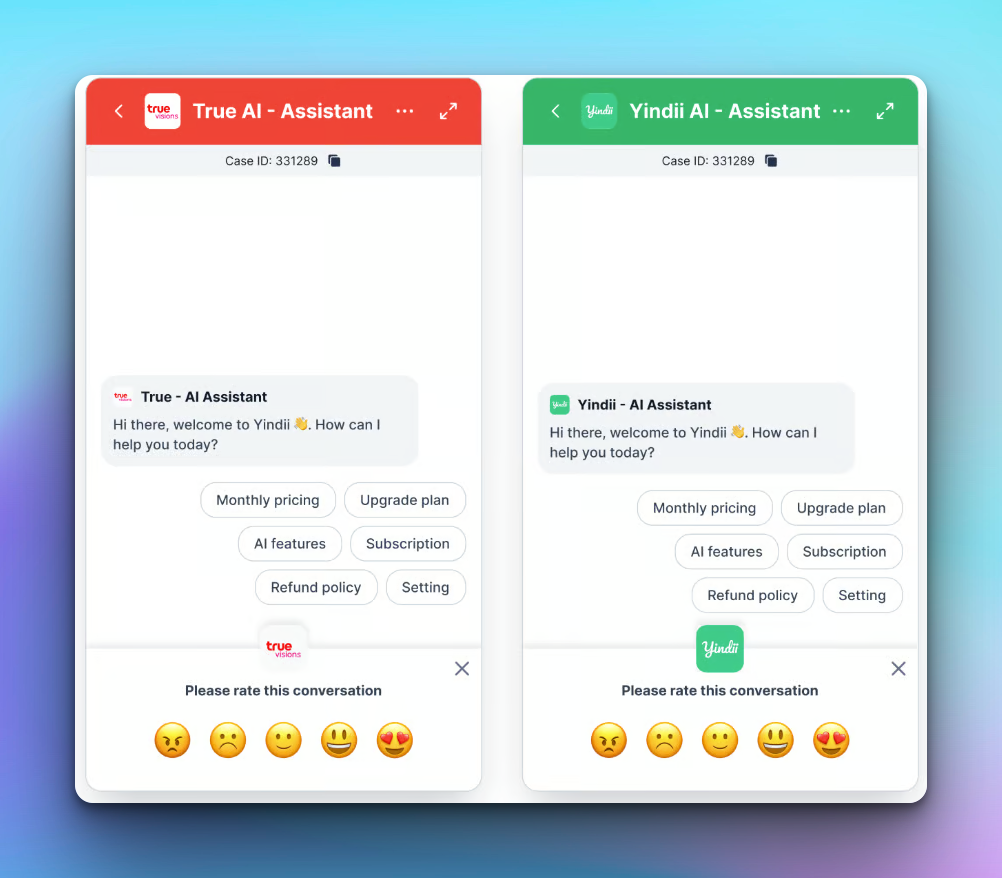
You can choose which satisfaction (CSAT) options customers see. Keep surveys short and on-brand for each team or use case.
{% endupdate %}
{% update date="2026-09-08" %}
## See which Meta ad started the chat
When someone messages you from a Click-to-Messenger ad, agents can see the ad context right in the conversation.
* Ad post preview: view the creative, media, and headline above the customer’s message
* Ad name and Ad ID: identify which campaign drove the chat, with quick copy for sharing with marketing
{% endupdate %}
{% update date="2026-09-03" %}
## Edit or delete internal comments
Need to fix a note or remove one that shouldn’t stay on the thread? You can now edit and delete internal comments from the comment menu.
Helps teams keep internal collaboration accurate without leaving the inbox.
{% endupdate %}
{% update date="2026-09-02" %}
## Run workflows in bulk from CX Log
From CX Log, you can run workflows across a batch of conversations when you need to catch up or apply the same follow-up at scale.
Pair this with manual “Run Manually” workflow triggers for more control over when automation runs.
{% endupdate %}
{% update date="2026-09-03" %}
## New Custom Manual Workflow Triggers
We are pleased to introduce the new “Run Manually” workflow trigger (custom), designed to provide greater flexibility and control when managing customer conversations.\
With this enhancement, users can configure workflows that are initiated manually from a conversation whenever needed. Instead of being triggered automatically by a specific event, the workflow can be selected and executed based on the agent’s decision and the specific situation of the conversation.\
This new capability gives teams greater control over workflow execution and supports more flexible conversation management processes.
{% endupdate %}
{% update date="2026-09-03" %}
## Attach Up to 10 Images in Snippets
We have added image attachment support to Snippets, enabling agents to send visual resources alongside standard pre-saved text responses.
* **Multi-Image Attachments:** Agents can now select and attach up to 10 images directly from the File Manager when creating or editing a snippet.
{% endupdate %}
{% update date="2026-09-03" %}
## Snippets in Facebook Feed Comment Replies
We have added support for snippets directly within the Facebook Feed comment reply box, allowing agents to respond to public post comments much faster.
{% endupdate %}
{% update date="2026-08-27" %}
## Advanced Inactivity Triggers & AI-Generated Internal Comments
We have expanded Workflow Setup with smarter inactivity triggers and a powerful new AI action to streamline case handoffs and internal team collaboration.\
**New Trigger:** When a user does not respond within the Inactivity Timeout period, the AI Agent will no longer automatically close the case. Instead, it evaluates configured conditions, runs the set actions, and keeps the chat room open.\
**New Action — Add Comment (AI Generated Mode):**\
Workflow can now post AI-generated internal comments. AI reads the full conversation transcript and automatically drafts internal notes based on your custom prompt. It supports inline @mentions to notify teammates, includes an Optimize Prompt tool, and comments remain visible only to internal agents.
{% endupdate %}
{% update date="2026-08-26" %}
## Export Check-in Status Activity Reports
We have added a dedicated data export option to the Agent Status Activity dashboard, giving team managers easy access to agent attendance and login logs for offline reporting and auditing.
* **Export Check-in Status Activity:** Instantly download detailed agent session records—including session counts, exact check-in/check-out timestamps, and total active login durations across selected date ranges.
{% endupdate %}
{% update date="2026-08-26" %}
## Streamline Outbound Outreach with Call Campaigns
We have launched Call Campaigns, a new automated dialing tool designed to help agents efficiently manage and execute high-volume outbound calling lists.
* **Effortless Campaign Creation & Lead Management:** Easily set up new call campaigns by specifying campaign details, assigning dedicated agents, and bulk-uploading target lead lists via CSV files.
* **Automated Auto-Dialer & Controls:** Run campaigns seamlessly with built-in calling controls. Agents can start or resume dialing, skip leads, or click Pause or Stop at any time with the action taking effect immediately after the current call finishes all while monitoring live call statuses in real time.
* **Real-Time Analytics & Call Logs:** Track campaign performance as it happens with instant metrics—including total leads, answer rate, answered vs. failed calls, and processed counts—alongside lead-level call recordings, notes, and dispositions.
{% endupdate %}
{% update date="2026-08-24" %}
## Detailed Agent Check-in Status & Session Logs
We have introduced a Check-in Status breakdown within Agent Activity reports to give team leads deeper visibility into daily agent login patterns and session histories.
* **Detailed Session Breakdown:** Managers and all agents can now click into an agent’s daily check-in count to open a dedicated side panel displaying every individual session, complete with exact Check-in time, Check-out time, and active Duration per session.
* **Session Fragmentation Tracking:** Highlighting multiple brief logins helps administrators identify whether an agent manually logged in or out, or experienced Wi-Fi connection and disconnection events.
* **Best Practice for Clean Activity Logs**** :** Leaving a laptop open or allowing it to enter sleep mode without logging out can fragment session records into multiple short, empty logs. To maintain accurate, clutter-free reporting, ***agents should manually log out or close their browser tab before leaving their workspace.***
{% endupdate %}
{% update date="2026-08-18" %}
## Automate Insights with New AI Workflow Actions
We have expanded Workflow Setup with new AI-powered actions, allowing you to automatically evaluate conversations and streamline case logging without manual agent input.
* **AI CSAT Score:** Let AI analyze the chat transcript and automatically score customer satisfaction upon workflow execution.
* **AI Sentiment Score:** Automatically detect and rate overall customer sentiment by analyzing full transcript content within your automated flows.
* **Auto Case Log:** Automatically read conversation transcripts and auto-fill any empty case log fields, saving agent time and improving data consistency.
{% endupdate %}
{% update date="2026-07-30" %}
## Flexible Ticket Queue Assignment & Filtering
We have added direct Queue Assignment options and a new Queue Column with filtering capabilities across your ticket views:
* **Direct Queue Assignment:** You can now assign tickets directly to a Queue when creating a new ticket, viewing details, or editing an existing ticket.
* **Queue Column in Ticket Listings:** A dedicated Queue column is now available in ticket tables, allowing you to quickly see which queue or department is handling each item.
* **Filter by Queue:** With the new Queue column, you can easily filter your ticket list by specific queues to monitor workload distribution across your team.
{% endupdate %}
{% update date="2026-07-23" %}
## Enhanced Accuracy for Agent Login Duration & Member Status Analytics
We have updated our session tracking logic across the Analytics Dashboard to ensure precise monitoring of active agent working hours and status metrics.
**Real-Time Session Detection:** The system now accurately registers logout timestamps when an agent manually logs out, loses Wi-Fi connection, or puts their device to sleep.
**Precise Total Login Duration:** The Total Login Duration metric now reflects active time spent using Klink and automatically excludes offline time, network disconnections, or system sleep states.
**Accurate Status Bar Charts:** Member status bar charts and duration breakdowns now reflect actual active operational status times, filtering out offline gaps to present true team activity analytics.
***Tip for Accurate Analytics:***\
Please manually log out or close your Klink tab before leaving for the day to ensure accurate daily active duration and login status metrics.
{% endupdate %}
{% update date="2026-07-16" %}
## Maximize Inbox Management with Global Agent Capacity for Queues
We have introduced Global Agent Capacity settings for chat routing queues, offering an alternative to standard per-queue limits and providing complete control over total agent workload.
* **Unified Capacity Across Queues:** A global queue evaluates the combined volume across all connected channels. Once an agent's total open conversations across all active global queues reach their assigned threshold, the system automatically pauses incoming assignments across all global channels until slots open up.
* **Flexible Feature Configuration:** You can seamlessly toggle the "Use global agent capacity" option on or off for individual queues. When toggled off, the channel falls back to standard per-queue tracking, counting only the interactions resting inside that specific queue.
* **Workload Safety Valve:** If an agent's global capacity profile limit is left blank or set to 0, global queues automatically fall back to their default per-queue rules to ensure operational continuity.
{% endupdate %}
{% update date="2026-07-09" %}
## Organize Your Workspace with Custom Ticket Views and Kanban Boards
We have launched a powerful new Ticket View management system, allowing you to build, filter, and save custom workspaces tailored to your exact daily operational needs.
* **Default & Custom Views:** Your dashboard comes with standard default views like ***All Tickets*** ***and*** ***My Tickets.*** You can now expand on these by creating your own customized views. Choose to keep them private (For Me), share them globally (Everyone), or grant access to Selected users only.
* **Manage Access Permissions:** When sharing custom views with others, you can configure permission settings—such as setting a view to View only—to protect your filter setups from accidental changes.
* **Multi-Layered Filtering:** Build precise workspaces by stacking advanced filter rules. Filter tickets instantly based on specific criteria like Ticket ID, Contact, Status, Priority, Assignee, and custom parameters.
* **Switch Between List & Kanban Layouts:** Visualize your workload exactly how you prefer. Toggle between a traditional data spreadsheet List layout or a visual Kanban board divided cleanly into status columns (Open, Pending, Resolved, Closed).
{% endupdate %}
{% update date="2026-07-09" %}
## TikTok Shop Messaging Integration Now Available
You can now connect your TikTok Shop directly to Klink to manage all customer messages and conversations from a single, centralized dashboard.
* **Unified Inbox:** View, track, and reply to incoming TikTok Shop customer chats in real time alongside your other messaging channels.
* **Streamlined Operations:** Improve response times and simplify team workflows by handling commerce inquiries without switching platforms.
*(**Note**: Setting up this channel requires a quick, one-time configuration via the TikTok Shop Partner Center. Check out our step-by-step setup guide in the Help Center to get started!)*
{% endupdate %}
{% update date="2026-07-03" %}
## Fixed Missing Content and Text in PDF Downloads
**PDF Encoding & Font Rendering Fix:** Resolved an issue where downloading certain PDF documents with specific font configurations (such as Thai characters) would result in corrupted/missing text or entirely incomplete pages. Our PDF encoding engine has been upgraded in production, ensuring that when you download and open a document, all text, pages, and regional fonts render accurately without corruption.
{% endupdate %}
{% update date="2026-07-03" %}
## Fixed Password-Protected PDF Downloads
* **File Encryption Fix:** Resolved a file download service bug that corrupted password-protected PDFs during the encoding process, causing them to open as blank documents. These encrypted files will now download normally with all original layout details and password protection fully intact.
{% endupdate %}
{% update date="2026-06-30" %}
## Unsend Sent Messages in Web Chat
We have introduced a helpful message control feature to the Web Chat interface, allowing agents to quickly correct mistakes or accidental submissions during live customer chats.
* **5-Minute Grace Period:** Agents can now unsend a sent message within a 5-minute window after it is delivered.
* **Seamless Message Removal:** Hovering over a recent chat bubble and selecting the "*Unsend*" option will securely pull the message back, ensuring total control over your conversation flow and reducing miscommunication.
{% endupdate %}
{% update date="2026-06-30" %}
## Customize Columns for CX Log Exports
We have introduced column selection toggle for CX Log data exports, giving you complete control over your report sizes.
* **Customizable Column Selection:** When exporting your logs, a new configuration window will now appear listing all available data fields. You can check or uncheck individual columns to customize exactly what data you want to include before generating the report.
* **Faster Downloads & Lighter Files:** By unchecking heavy, data-dense columns like "*Transcript*" or "*Recording*" when they aren't actively needed, your exported files will stay light, prevent loading delays, and open much faster in your spreadsheet applications.
{% endupdate %}
{% update date="2026-06-29" %}
## AI Language Condition for Workflow Automation
We have enhanced our Workflow Automation engine with AI-powered language detection for images, allowing you to route incoming customer screenshots with precision.
* **Advanced AI Language Condition:** You can now select "AI Language" when setting up filters in your workflow setup. Instead of relying only on plain text routing, the system can analyze the text within customer-submitted images.
* **Text Detection in Images:** The AI reads and detects language directly from text inside images sent by customers, ensuring that image-based inquiries are routed to the correct language queue.
* **Smart Mixed-Text Evaluation:** When an image contains a mix of languages (such as both Thai and English), the AI intelligently counts the dominant vocabulary. For example, if a customer sends a screenshot where English words are more prominent than Thai, the system will accurately identify and classify the interaction as English.
{% endupdate %}
{% update date="2026-06-29" %}
## Rich Text Editing & Attachments Now Available in Ticket Comments
We have upgraded our ticketing system to give you complete control over how you format your messages and share information with your customers.
* **Rich Text Editor:** You can now format your ticket comments using a built-in text editor. Easily apply styling like bold text, *italics*, underlining, bulleted lists, and even insert custom tables to organize complex details clearly.
* **File Attachments:** Share documents, images, and files directly within a ticket comment thread. Simply click the folder icon or drag and drop your assets into the editor container to upload them instantly.
{% endupdate %}
{% update date="2026-06-24" %}
## Transcript Data (CX Logs Export)
* **Added a new 'Transcript' column exclusively to the CX Logs export file.**\
\
This field captures and displays the full conversation logs or chat history from the interaction room, allowing you to review the detailed communication details directly within your exported reports.
{% endupdate %}
{% update date="2026-06-24" %}
## New Queue Metrics for Accurate SLA Tracking
We have introduced new logging metrics across our reporting tables and data exports. These updates provide deeper visibility into total queue waiting thresholds, allowing you to accurately track customer wait times and fulfill strict SLA reporting requirements.
* **Queue First Response Time (CX Logs)**: Added a brand new 'Queue First Response Time' column to both the CX Logs view and the CX Logs export data sheets. This metric tracks the total ring duration of the queue call itself before an interaction is established, ensuring consistency in high-level operational performance metrics.
* **Queue Ring Duration Tracking:** Included the raw 'queue\_ring\_duration' data field across multiple core telephony reporting assets. You can now view and utilize this metric within:
* CDR Table & CDR Exports
* Call Log Table & Call Log Exports
{% endupdate %}
{% update date="2026-06-19" %}
## Web Chat Settings Redesign & Custom CSAT Images
We have completely redesigned the Web Chat configuration workflow to centralize your widget customization tools and give you deeper branding control.
* **Unified Settings Modal:** Clicking Edit on your web chat channel now opens a centralized configuration modal covering your basic info, greetings, appearance, and preferences in one place.
* **Custom Images for CSAT:** Within the newly integrated CSAT settings tab, you can now change your scale style to "Custom image". This allows you to upload unique images or custom icons for each of your 1–5 scale options to match your company's unique branding.
{% endupdate %}
{% update date="2026-04-09" %}
## Kai can now see and understand images
Your AI agent can now analyze images sent by customers — and respond intelligently based on what it sees.
\
**Visual product inquiries**
Customers can share a photo of a product, receipt, or screenshot — Kai identifies it and replies with the right answer.
**Custom analysis instructions**
Write your own prompt to control how Kai analyzes images — from damage inspection to document verification to menu lookups.
**Works across all channels**
Image understanding is available on WhatsApp, LINE, web chat, and Facebook Messenger — wherever your customers already send photos.
**Example use case**
*"Analyze the product image sent by the customer. Identify the item, check if it matches our catalog, and suggest the correct SKU and price."*
{% endupdate %}
{% update date="2026-03-05" tags="workflow" %}
## 🚀 New Workflow Actions
We've expanded the **Actions** menu in Workflow Automation with 8 powerful new actions, giving you more control over how conversations are tagged, scored, and categorized automatically.
**What's new**
**Add Contact Label** — Automatically fill a customer's contact label based on workflow triggers, keeping your contact records organized without manual effort.
**Add Chat Tags** — Append CX log tags to conversations dynamically, making filtering and reporting faster across your team.
**Add Note** — Automatically insert contextual notes into case logs at any point in a workflow — great for logging AI decisions or escalation reasons.
**Set Disposition** — Define the outcome of a case log automatically, ensuring consistent disposition tracking across all resolved conversations.
**Set Categories** — Assign categories to case logs on the fly, streamlining ticket classification without agent input.
**Set Type** — Automatically set the case log type based on conversation context or routing rules.
**Set CSAT Score** — Programmatically set CSAT scores within workflows, useful for scenarios where satisfaction can be inferred from conversation signals.
**Set Sentiment Score** — Assign sentiment scores to case logs automatically, enabling richer analytics and smarter routing decisions.
{% endupdate %}
{% update date="2026-02-27" %}
## Send Rich Message Action
You can now send rich messages as an action step inside Workflow Automation — including text, images, videos, and file attachments.
**What's new:**
* New **Send Rich Message** action available in Workflow Automation
* Type `/` to insert media or attachments via command menu
* Click **Apply** to save the action and continue your workflow
{% endupdate %}
{% update date="2026-02-27" %}
## AI Conditions Workflow
You can now set workflow automation conditions using plain English — no coding, no complex logic required. Simply describe the situation, and AI will detect it automatically.
**What's new**
* Added **AI Conditions** as a new condition type in Workflow automation
* Write conditions in natural language — just describe what the customer is doing or asking
* AI automatically detects customer intent and triggers the workflow when the condition is met
* Works across all channels — WhatsApp, LINE, Viber, Messenger, and more
**Example use cases**
* Detect when a customer is asking for a refund or cancellation
* Route frustrated or escalating customers directly to a human agent
* Identify customers interested in upgrading or purchasing
* Flag complaints about missing or damaged orders
* Detect billing disputes or payment issues
**How to use it**
1. Go to **Workflow** → **Conditions** → **Add**
2. Select **AI Conditions**
3. Describe the situation in plain English
4. Click **Save Condition** and connect your actions
***
*AI Conditions is available on all plans. The more specific your description, the more accurate the detection.*
{% endupdate %}
{% update date="2026-02-25" tags="inbox" %}
## Internal Comments
Teams can now leave private, internal comments on conversations — visible only to agents and never to customers.
**Key highlights:**
* **Private by default** — Internal comments are clearly marked and never sent to the customer across any channel
* **@mention teammates** — Tag specific agents or teams to loop them in on a conversation
* **Text & image support** — Add written notes or paste/upload images such as screenshots, references, or visual context
* **Real-time visibility** — Team members see new internal comments instantly without refreshing
**Why it matters:** No more switching to Slack or email to discuss a tricky customer case. Agents can collaborate, share context, and hand off conversations seamlessly — all within klink.cloud Unified Inbox.
{% endupdate %}
{% update date="2026-02-23" %}
## Live Chat Widget — File Attachment Upgrade
Customers can now send large files—including videos—directly through the live chat widget, with attachment support increased to **150MB**.
{% endupdate %}
{% update date="2026-02-20" %}
Customer Feedback Tag Support for Facebook Messenger
--------------------------------------------------------
Agents can now send post-conversation follow-ups using the **Customer Feedback (Recommended)** tag after the 24-hour messaging window expires, keeping all outbound messages compliant with Meta's policy.
**Example:** After a customer's conversation window closes, an agent can still send:
> *"Hi! How would you rate your recent support experience with us?"*
Messages sent outside this approved tag after the 24-hour window will be blocked by Meta.
{% endupdate %}
{% update date="2026-02-20" tags="ai-agent" %}
## AI Correction: Media File Support
**What's new:** You can now attach media files — photos and videos — when training your AI through corrections.
Previously, corrections were limited to text responses only. With this update, when you add a correction to guide your AI's behavior, you can include images and videos as part of the corrected response. The AI will then be able to send that media across all connected channels when responding to similar queries.
**Why it matters:** Many customer interactions require visual context — product images, tutorial videos, promotional content, or visual instructions. This update ensures your AI can deliver richer, more helpful responses just like a human agent would.
{% endupdate %}
{% update date="2026-02-19" %}
## Offline Agent Assignment Toggle
We've added a new option under automatic assignment settings that allows you to control whether cases should be assigned to offline agents.
WHAT'S NEW
* New toggle option "Offline Agents Assignment" in the automatic assignment settings
* When enabled, incoming cases are distributed to both online and offline agents
* When disabled, cases are only assigned to agents who are currently online
* Works seamlessly with existing distribution strategies (round robin, least busy, etc.)
HOW IT WORKS
Navigate to Settings > Queue Setting > Assign automatically. You'll now see an "Offline Agents Assignment" toggle that lets you control this behavior.
BENEFITS
* Better workload distribution across all shifts and time zones
* Agents can start working immediately when they log in
* Reduces case backlog during off-peak hours
* Ideal for 24/7 support operations
{% endupdate %}
{% update date="2026-02-11" tags="ai-agent" %}
## AI Translate: Arabic Language Support
AI Translate now supports Arabic, enabling agents to communicate seamlessly with Arabic-speaking customers. Agents can write responses in their native language, and AI Translate will automatically convert them to Arabic (or any other supported language) directly within the Inbox.
This expansion brings our total language support to 50+ languages, making it easier for teams to deliver localized customer experiences without language barriers.
{% endupdate %}
{% update date="2026-02-10" %}
## Close Date Filter
**Release Date:** Feb 10, 2026
**What's New**
Added **Close Date filtering** to accurately track when cases are resolved, not just when they're created.
**Updates**
✅ **CX Log** - Filter cases by close date\
✅ **Analytics Dashboard** - "Closed Cases" metric now uses closure date\
✅ **CX Log API** - New `closed_at` filter parameters
**Why It Matters**
Get accurate daily productivity metrics. If your team closed 18 cases today, you'll see 18 closed cases in today's report—regardless of when those cases were originally created.
{% endupdate %}
{% update date="2026-02-05" %}
## RTL Support for Arabic
Right-to-Left (RTL) Text Support
We've added native RTL support for Arabic-speaking customers. All Arabic text now displays correctly in the proper right-to-left direction when agents reply to customers, ensuring a natural and professional communication experience for Arabic markets.
This enhancement improves readability and user experience for both agents and customers using Arabic language across all messaging channels.
{% endupdate %}
{% update date="2026-01-07" %}
## Agent status log improvements
* Cleaner, more readable Agent Status log interface.
* Added **search** so supervisors can quickly find specific status changes.
* The **reason** field is now optional, making it faster for agents to update their status.
{% endupdate %}
{% update date="2026-01-06" %}
## Direction filter in Inbox
* New **Direction** filter in Inbox lets you quickly view **inbound** vs **outbound** conversations.
* Helps teams focus on the right messages faster and manage workloads more efficiently.
{% endupdate %}
{% update date="2026-01-05" %}
## Smarter AI handoff for WhatsApp & Facebook Messenger
* When user(agent) switch to sending messages from WhatsApp or Facebook Messenger, the AI Agent now stops auto-replying.
* This prevents duplicate or conflicting responses and keeps the conversation clear.
{% endupdate %}
{% update date="2025-12-31" %}
## File Upload inside AI Agent Editor (Attach Files to AI Prompts)
You can now upload files and images directly into the AI Agent Prompt Editor and reference them in your prompt instructions. This allows AI Agents to automatically send the right attachment (such as price lists, brochures, or FAQs) to customers on channels like WhatsApp and Messenger.
**What’s new**
* Upload PDFs, images, and other files directly in the AI Agent Prompt Editor
* Reference files by name in prompt instructions (for example, `pricelist.pdf`)
* AI Agents automatically attach and send the referenced files when the prompt conditions are met
* Supports sending attachments over supported messaging channels (for example, WhatsApp and Facebook Messenger)
**Why it matters**
* Ensures customers receive consistent, up-to-date documents directly in the conversation
* Reduces manual steps for agents to look up and send files
* Makes AI-driven responses richer and more actionable
{% endupdate %}
{% update date="2025-12-24" %}
## **Add Direction Inbound/Outbound Filter in Agent Inbox**
* **What’s new:** Adds a direction filter (Inbound/Outbound) in the Agent Inbox.
* **Benefit:** Makes it easier for agents to focus on either incoming messages from customers or outgoing responses, improving triage and workload management.
{% endupdate %}
{% update date="2025-12-24" %}
## **Message Notification Sound Setting**
* **What’s new:** Adds an on/off toggle for message notification sound in the profile settings.
* **Benefit:** Lets users control whether they hear a sound for new messages, which is helpful in quiet environments or when they don’t want audio alerts.
{% endupdate %}
{% update date="2025-12-19" %}
## Email Integration Update
* Removed the legacy Email Inbox from the left sidebar and deprecated the old Email Integration page.
* All new email integrations are now available directly inside the **Main Unified Inbox**, providing a more seamless and consistent email experience across channels.
{% endupdate %}
{% update date="2025-12-18" %}
## New Billing Updates: Conversation-Based Pricing Now Live
We’ve rolled out new billing enhancements to give you more flexibility and better visibility into your usage.
**💬 New Conversation-Based Pricing Plans**
You can now subscribe to our **conversation-based pricing plans**, designed to scale with your team’s activity.
* **Growth Plan** starts with **1,000 resolved conversations per month**
* Ideal for growing sales and support teams
➡️ **To subscribe:** go to **Settings → Plan & Billing**
**📈 Pay-As-You-Grow Usage Billing**
If you exceed your monthly included conversations:
* Additional usage is billed at **$0.2 per resolved conversation**
* No service interruption — pay only for what you use
**📊 Real-Time Usage Meter**
Stay in control with our new **Usage Meter Indicator**:
* Monitor resolved conversations in real time
* See how much usage you’ve consumed in the current billing cycle
* Plan ahead and avoid unexpected charges
{% endupdate %}
{% update date="2025-12-17" %}
## Inbox Visibility Control & “Mine” Menu Relocation
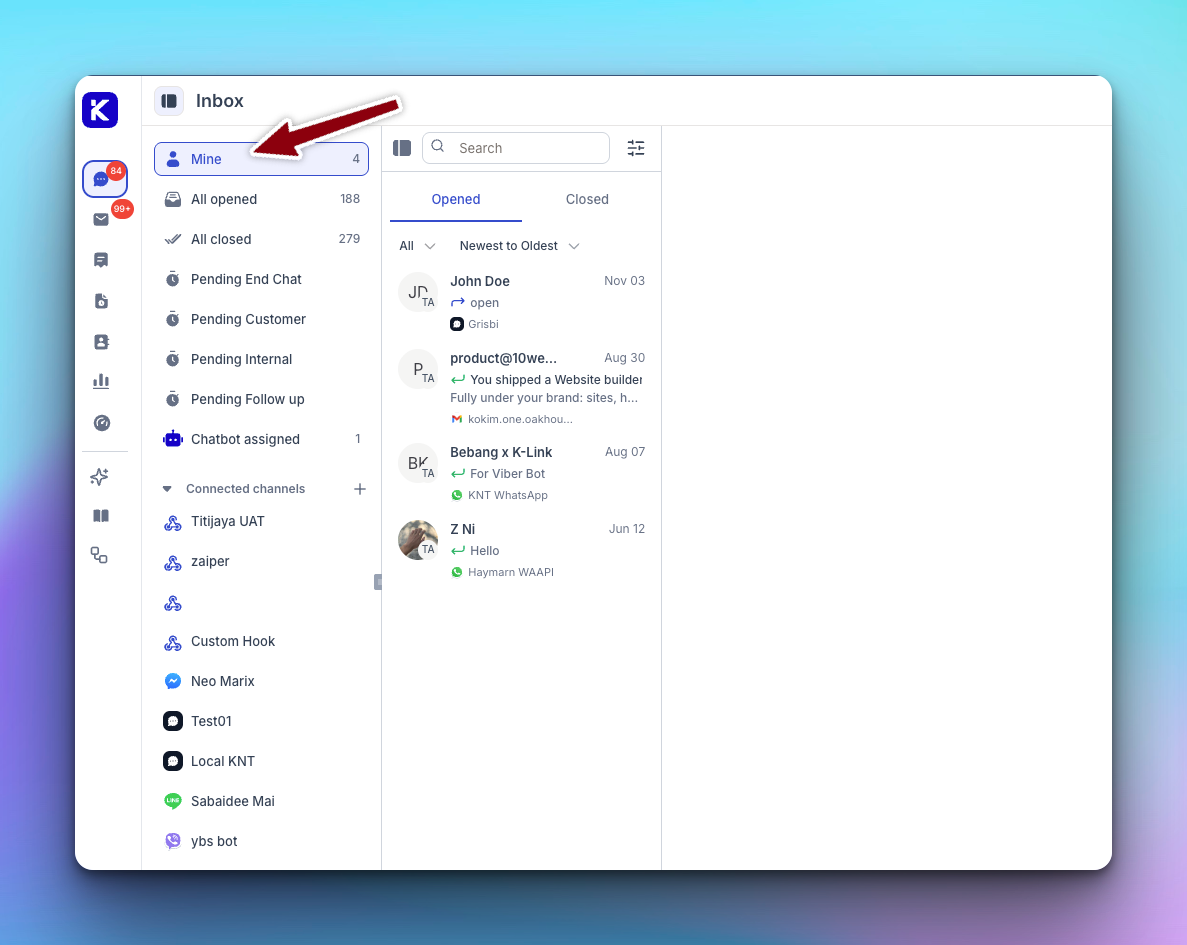
* Mine inbox has been moved to the left sidebar for quicker access.
* Added role-based permissions to control visibility of:
* All Opened
* All Closed
* Admin Role Users can view Mine, All Opened, and All Closed.
* Agent Role Users can only view Mine (private conversations).
* Inbox visibility can be configured via Settings → Roles & Permission → Inbox.
{% endupdate %}
{% update date="2025-12-17" %}
## CRR Report Accuracy Improved
We’ve released an update to fix an issue where call records were occasionally displayed in the wrong order in the Call Detail Records (CDR).
🛠 **What’s Fixed**
* Resolved an issue where call date/time sorting was sometimes incorrect
* Call records are now displayed in the correct chronological order
✨ **Why This Matters**
* Agents can now review call history in the correct sequence
* Easier and more accurate call tracking, audits, and investigations
* Improved reliability of CDR reports for daily operations and reporting
📌 **Scope**
* Applies to **Report > CDR**
{% endupdate %}
{% update date="2025-12-05" %}
## CSAT for Web Chat Widget
You can now collect **Customer Satisfaction (CSAT)** feedback in Webchat.
**How it works:**
1. Go to **Settings → Message Channel → Enable CSAT Setting**
2. Select your desired **disposition status** (e.g. *Resolved*)
3. When an **AI or Human Agent** closes a conversation with the selected disposition, CSAT is automatically sent to the customer
4. Customers can submit feedback:
* Very Satisfied
* Satisfied
* Neutral
* Unsatisfied
* Very Unsatisfied
5. Submitted CSAT results are available in the **CX Log Table**
Measure customer experience instantly and improve conversation quality with real-time feedback.
{% endupdate %}
{% update date="2025-12-02" %}
## Custom Messaging Channel
You can now connect **any third-party messaging platform** to **klink.cloud** using webhooks.
**What’s included:**
* Two-way messaging via **Inbound & Outbound Webhooks**
* Messages appear instantly in the **Unified Inbox**
* Agent replies are sent back to your system in real time
* Supports conversation events (created, closed, sent, received)
* Secure webhook setup with optional authentication headers
**Supported today:** Text messages\
**Coming soon:** Images & files
**Use cases:** Custom chat apps, CRMs, AI bots, internal tools, and legacy system integrations
{% endupdate %}
{% endupdates %}
{% updates format="full" %}
{% update date="2025-12-01" %}
## File, Image & Video Uploads in Web Chat
You can now upload **files, images, and videos (up to 50MB)** directly in the Webchat channel—making conversations more visual, faster, and more effective.
***
**✨ Webchat Upgrade: Rich Media Attachments**
Webchat now supports **file, image, and video uploads up to 50MB**, allowing agents and customers to share richer content in real time.
***
**🆕 What’s New in Webchat**
* 📎 File uploads (up to 50MB)
* 🖼️ Image sharing
* 🎥 Video uploads
***
**🔔 Product Update: Webchat Attachments**
Webchat now supports **file, image, and video uploads with a 50MB size limit**, helping teams resolve conversations faster with better context.
{% endupdate %}
{% endupdates %}

.png?alt=media&token=34126d40-c4b9-4322-9761-19487fbd2cd1)